left Find to Share: January 2009

On-line and Get Money

Free money making opportunity

Tuesday, January 27, 2009

ASUS Rampage II Extreme Motherboard


If you haven’t heard about ASUS by now, let me fill you in on the most important details. They’re good at developing motherboards. Always have been. And in the past few years the company has made it a tradition to release boards under the “republic of gamers” brand. These are meant to be top notch gaming enthusiasts motherboards that provide everything a mad overclocker could desire.

So when the time came to launch the new line of socket 1366 motherboards for the Intel Core i7 CPU, there was no doubt ASUS would enchant enthusiasts with another “republic of gamers” motherboard. This is how the Rampage II Extreme was born. A board with the most advanced technology the company has, powered by the Intel X58 chipset.

Besides the X58 feature specs, there are plenty of ASUS proprietary technologies integrated on the Rampage II Extreme. For overclocking headroom the company is using a dynamic multi-phase power system called Extreme Engine with ML Cap Design. It uses multilayered capacitors to ensure stable power supply in case of over voltages. This provides gamers with the ultimate overclocking advantage, allowing them to gain the higher edge against their opponents.

The BIOS Flashback feature allows users to save two different versions of BIOS settings. So you can have a profile for gaming (with overclocking at its max) and an entertainment BIOS for watching movies and listening to music.

CPU Level Up is like a software CPU upgrade. It actually uses an instant overclocking feature to raise the performance of your CPU. Users are shown their current CPU and offered a list of possible CPU upgrades. They just have to select a better performing CPU and the software does the overclocking for them.

The motherboard comes with an external LCD poster designed to display POST information if there are any problems at system startup. So, if any of the components fail, the user will know exactly which one to replace.

As gamers usually take proud in their rigs, ASUS have outfitted the Rampage II Extreme with EL I/O. This feature illuminates the back connectors of your PC so you can see where to connect your peripherals in the dark, and also provides a cool look.

Apple iPod classic


Although when it was first launched, nobody could actually foresee the huge impact Apple's iPod was going to make on the both the portable music player's market and the whole world, this relatively tiny device has actually changed our society, becoming more than a consumer product. In fact, the iPod is THE icon of the modern digital revolution, and it will most likely find its way into the future's history books as one of the most important developments of the early 21'st century.

The first iPod was launched back in October 2001, featured a 5 GB hard-drive and a mechanical wheel. 7 years later, the (now) multimedia player has gone through no less than 5 different revisions, beside lending its name to several other “siblings”, each of them with their own particularities and special features.

The current version of the iPod, aptly dubbed “classic”, was launched back in 2007 and continues the evolution of the original iPod concept, but adapts it to the current market demands and available technologies. The device is still HDD-based and provides 120 GB of storage space, which is quite enough for holding up to 30,000 songs, 150 hours of video, 25,000 photos, or any combination of the above.

Given the huge amount of content the iPod classic can store, it's no wonder that it has been equipped with a battery to match, a non-removable Li-Ion unit that provides a playback time of up to 36 hours (audio) or 6 hours (video), after a 4-hour full charge.

Although it's no match for the iPod touch as far as the video playback issue is concerned, the classic does sport a 2.5-inch LCD with LED backlight, which provides a 320 x 240 pixels resolution. The device supports a fairly extensive series of audio file formats (AAC (16 to 320 Kbps), Protected AAC (from iTunes Store), MP3 (16 to 320 Kbps), MP3 VBR, Audible (formats 2, 3, and 4), Apple Lossless, AIFF, and WAV), as well a host of video formats, including here H.264 video, up to 1.5 Mbps, 640 by 480 pixels, 30 frames per second, Low-Complexity version of the H.264 Baseline Profile with AAC-LC audio up to 160 Kbps, 48kHz, stereo audio in .m4v, .mp4, and .mov file formats; H.264 video, up to 2.5 Mbps, 640 by 480 pixels, 30 frames per second, Baseline Profile up to Level 3.0 with AAC-LC audio up to 160 Kbps, 48kHz, stereo audio in .m4v, .mp4, and .mov file formats; MPEG-4 video, up to 2.5 Mbps, 640 by 480 pixels, 30 frames per second, Simple Profile with AAC-LC audio up to 160 Kbps, 48kHz, stereo audio in .m4v, .mp4, and .mov file formats.

As expected, the iPod classic is also accompanied by a couple of high-quality headphones, which deliver a frequency response of 20Hz to 20,000Hz and an impedance of 32 ohms. However, don't expect limitless audio volume out of the box, since you'll have to adjust this setting at your own risk.

Currently, the iPod classic is available in two color versions (black and white) and sells for 250 US dollars a piece, the sales package including a pair of earphones, an USB 2.0 cable, a dock adapter and a Quick Start guide.

Logitech G19 Gaming Keyboard

Over the years, the Logitech company has come up with some of the most interesting gaming-related PC peripherals to ever arrive on the market, whether we're talking about racing wheels, joysticks, keyboards or mice. As far as keyboards are concerned, the G15 has ruled over Logitech's lineup for quite a long time, but in January 2009, the company has decided to launch its successor, the G19.

In fact, the G19 is related to the G15 as far as the overall design concept is concerned, but the truth of the matter is that pretty much every feature of the G15 has been seriously improved for the G19. And one of the first areas where these improvements become visible is that of the display.

As some of you might know, one of the G15's trademark features was the built-in display. The new Logitech G19 follows that legacy, since it comes equipped with a tiltable, 320-by-240-pixel display, which provides in-game information for over sixty games. Moreover, beside the in-game information, the screen can show VoIP communication data, clock, CPU load, or other non-gaming specific items such as pictures or video.

Beside the display, the G19 also offers users a couple of very useful customization options, such as 2 fully programmable G-keys with three macros per key, giving users 36 time-saving commands per game. Gamers are also allowed to carry out multiple actions simultaneously, due to the fact that the keyboard sports a multi-key input-functionality, which allows one to engage up to five keys at the same time.

Other interesting features include the Game/desktop mode, which lets users disable the Windows/Context Menu keys so they won’t interrupt the game if pressed accidentally, as well as the possibility of choosing exactly what keys will light-up in low-light environments (the whole keyboard is backlit, by the way) and the color for each of the keys.

The new G19 also sports a couple of features whose main role is to make things a lot more convenient for the user. For example, the keyboard sports two powered USB ports, which can be easily used for transferring data to and from peripherals, such as MP3 players and flash drives, while in the same time also charging battery-powered devices. Plus, there's also an intelligent cable management system, which allows gamers to keep the mouse, headset, and other cords out of the way by routing them through channels on the underside of the keyboard.

The Logitech G19 sells for around 200 US dollars, which is twice as much as the current-generation G15, but, on the other hand, it's quite worth it, given the numerous attractive features it provides. Of course, it remains to be seen just how successful the keyboard will prove to be, since, after all, not many people are ready and willing to spend that much on a peripheral nowadays.

Monday, January 19, 2009

Alien Aircraft USB Mouse


Over time, we've seen a very large number of products hitting Brando's online shop, many of which you can find in our extensive Gadgets Collection. However, in general, most of these things aren't exactly high-end or top-range or whatever one might call it, their low price points being one of the most important features that makes them stand out of a crowd (well, to some extent, at least).

However, that's not the case with one of Brando's latest offerings, namely the USB Aircraft Mouse. While it's rather difficult to imagine an USB mouse shaped like a fighter plane (although stranger things have happened), the device you'll read about as follows does have one major plus, namely its external design.


Hence, the USB Aircraft Mouse does have a shape that somewhat resembles that of an aircraft, but it's more of an alien one. Plus, although the red, black, camouflage, green and orange versions are actually pretty hilarious (and ugly), the black one is very, very interesting, the combo of red and black certainly scoring some points as far as the aesthetics of this thing are concerned.

Now, if we leave the design aside, the USB Aircraft Mouse is as unimpressive a peripheral as they come. And that's because we're talking just about a 800 DPI sensor, which won't help too much as far as gaming is concerned, for example. However, if you're just looking for a peripheral that will simply look good for office work, then 800 DPI are more than enough.

The USB Aircraft Mouse is a pretty bulky product (measuring 155 x 115 x 35mm and weighing around 90 grams), but, fortunately, the price point is a rather low one, since this thing retails for somewhere around 17 US dollars. However, given the fact that this thing's level of functionality is not exactly what one might call impressive, its looks representing the main selling point, you should really think twice about whether you're willing to spend even the relatively small amount mentioned above on this thing or not.


Over time, we've seen a very large number of products hitting Brando's online shop, many of which you can find in our extensive Gadgets Collection. However, in general, most of these things aren't exactly high-end or top-range or whatever one might call it, their low price points being one of the most important features that makes them stand out of a crowd (well, to some extent, at least).

However, that's not the case with one of Brando's latest offerings, namely the USB Aircraft Mouse. While it's rather difficult to imagine an USB mouse shaped like a fighter plane (although stranger things have happened), the device you'll read about as follows does have one major plus, namely its external design.


Hence, the USB Aircraft Mouse does have a shape that somewhat resembles that of an aircraft, but it's more of an alien one. Plus, although the red, black, camouflage, green and orange versions are actually pretty hilarious (and ugly), the black one is very, very interesting, the combo of red and black certainly scoring some points as far as the aesthetics of this thing are concerned.

Now, if we leave the design aside, the USB Aircraft Mouse is as unimpressive a peripheral as they come. And that's because we're talking just about a 800 DPI sensor, which won't help too much as far as gaming is concerned, for example. However, if you're just looking for a peripheral that will simply look good for office work, then 800 DPI are more than enough.

The USB Aircraft Mouse is a pretty bulky product (measuring 155 x 115 x 35mm and weighing around 90 grams), but, fortunately, the price point is a rather low one, since this thing retails for somewhere around 17 US dollars. However, given the fact that this thing's level of functionality is not exactly what one might call impressive, its looks representing the main selling point, you should really think twice about whether you're willing to spend even the relatively small amount mentioned above on this thing or not.

PC Helper Utilities


A Great Value Bundle that includes everything your PC needs!

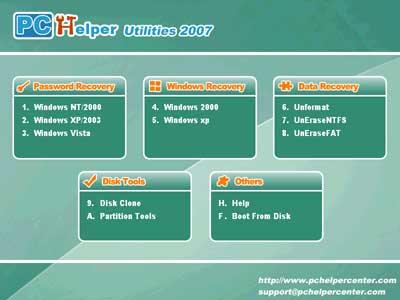
You can use PC Helper Utilities 2007 to fix Windows, clean up history and protect privacy, optimize and speed up system, recover data and password, clone and backup hard disk,partition and format hard disk.


Here are some key features of "PC Helper Utilities 2007 3.14":

Disk Tools
· Supports large disks from 20GB to 800 GB.
· Create and delete partitions of any type.
· Hide or make visible partitions of any type.
· Resize and move partitions without losing data.
· Previewing changes made in partition layout before applying them to disk.
· The partition scheme provides you efficient, smart and convenient partition instruction.
· Browse through the detailed information about all hard disks, partitions and file system

Password Recovery
· 100% recovery rate.
· Windows Vista supported
· Finds or Clears your computer's BOIS/CMOS Password
· Resets Local Administrator password
· Resets passwords for other local accounts
· Resets passwords with a bootable CD-ROM
· Resets local policy settings
· Resets secure boot options: startup password or startup key disk
· Displays account properties
· Recovers passwords from multiple partitions and hard disk drives
· Detects and displays all Microsoft Security Databases (SAM).
· Resets "User is Disabled" flag.
· Resets "Password Never Expires" flag for user's account.
· Ability to change (set or clear) user's account flags: "User must change password at next logon"; "Password never expires"; "Account is disabled"; "Account is locked out".
· Supports FAT16, FAT32, NTFS, NTFS5 file systems
· Supports Windows XP, XP+SP2, 2003, 2000, NT, Windows XP Professional x64 Edition (64-bit), Windows Server 2003 x64 Edition (64-bit) Operating Systems, Windows VISTA, Windows VISTA(64-bit)
· Supports large hard disk drives
· Supports IDE ATA SATA & SCSI hard disk drives

Windows Recovery
· 100% recovery rate.
· 1-click Windows recovery
· Recover missing file NTLDR
· Recover missing file BOOT.INI
· Recover missing file NTDETECT.COM
· Recover missing file hal.dll
· Recover missing file rundll32.dll
· Supports FAT16, FAT32, NTFS file systems
· Supports Windows XP windows 2k Operating Systems

Windows Care
· Finishes all Work with one click.
· Scans and cures your whole system under one minute.
· 360� Protection for Your PC.
· Scans and removes spyware and adware with the latest definition.
· Prevents spyware, hijackers and bad websites from being installed.
· Erases the history of all activities in your computer.
· 100% Repairs and Maintains Your PC
· Scans and fixes invalid and improper registry entries.
· Detects and removes invalid startup items.
· Repairs system configurations, eliminates system bottlenecks and prevents crashes.
· Improves Your PC Performance to 3X Speed.
· Searches and cleans up unused Windows garbage.
· Tunes up Windows to improve both system and Internet performance, unleashes the power of your Windows.
· Provides with extra useful system tools.
· Analyzes and shows detailed information of hardware and Windows.

Portable AutoScreenRecorder Pro 3.0.325


This is a powerful screen recorder that saves screen actions into SWF and AVI videos

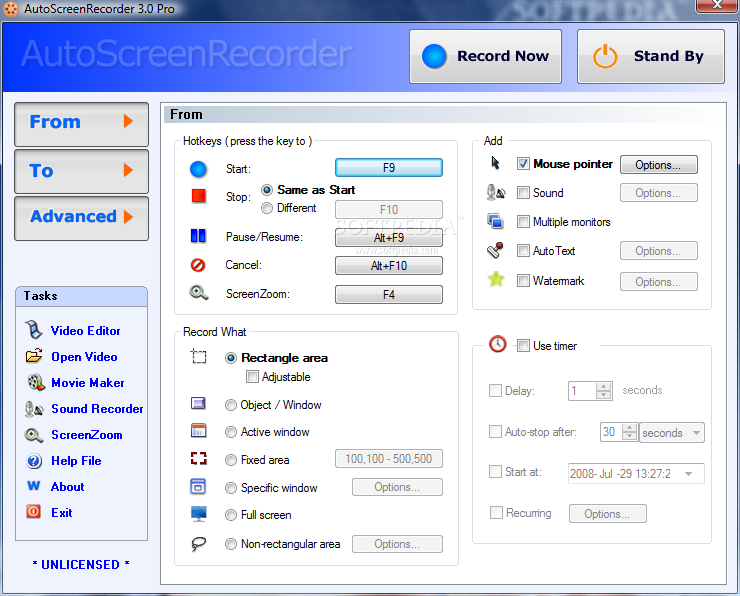
AutoScreenRecorder Pro is a versatile screen recording program that allows you to record screen actions into Flash movies (SWF) and AVI videos.

Save anything you see or do on your screen - moving the mouse to click a button, typing some text, or select some menu - and playback later.

With AutoScreenRecorder Pro you can add recorded videos to your products or services to save your time to explain, and provide better experience for your customers. The Flash movie file can be used to publish on the Web in no time.


Here are some key features of "Portable AutoScreenRecorder Pro":

Recording Area
· Rectangle area
· Adjustable rectangle
· Object / Window
· Active Window
· Fixed area
· Specific Window
· Full screen
· Non-rectangular area

Adding to Recorded Video
· Sound and voice
· Mouse pointer with click effects
· Multiple monitors
· AutoText (Date/Time stamps, Note)
· Watermark
· Double-click support

Timed Recording
· Delayed recording
· Auto-stop
· Scheduled recording
· Recurring recording
Video File Features
· Automatic naming, saving to a video file
· Video image quality options
· frame rate options
Recorded video
· AVI video file
· Generating Flash move file (SWF)
· Long recording with multiple 2G files
· Generating Flash movie file
Video Editing
· Re-record sound
· Trim video
· Extract frame images
· Extract video or sound
· Re-generate Flash movie
Other Features
· ScreenZoom
· System tray
· Zoombox options
· One click for sound recorder & movie maker
· Advanced options
· Developer support
note:report to us if there broken link.
DOWNLOADHERE

Audio Editing Portable Wavosaur (Portable)


An easy to use audio editor

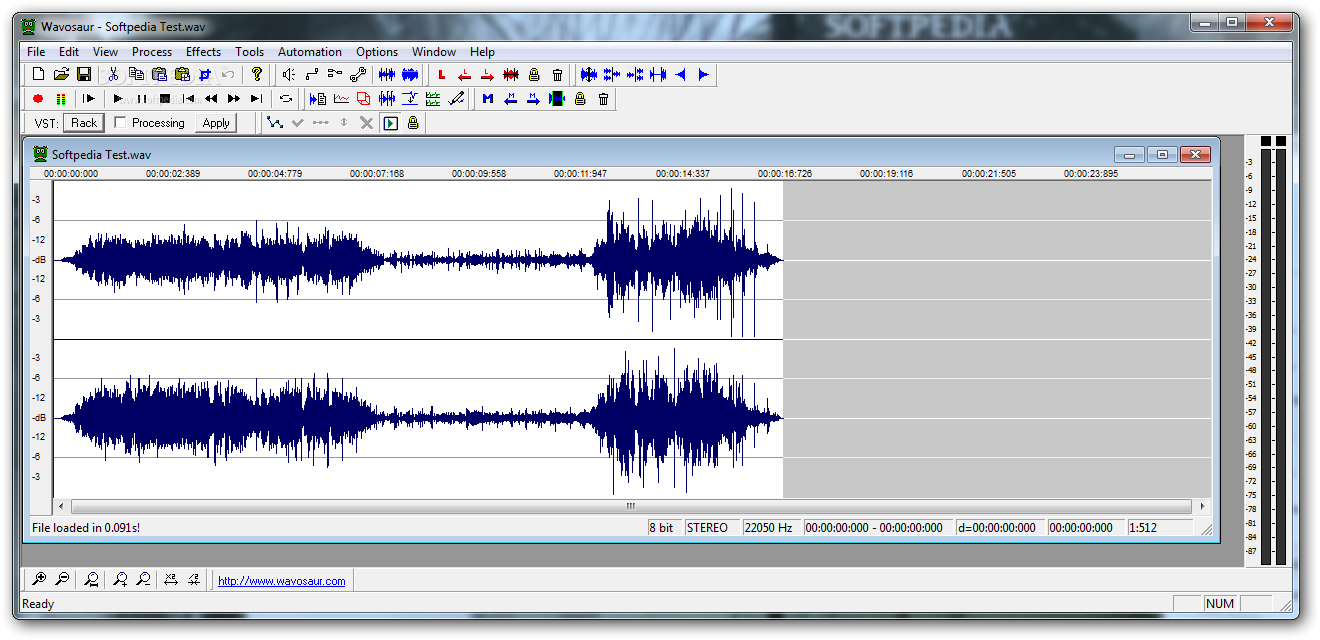
Wavosaur represents a fast and easy to use batch audiowave file editor, created for editing audio clips, sound designing, mastering, audio managing and recording. Wavosaur also features VST compatibility and it is possible to listen in real time to the FX processed audio. More than that, the software is able to analyze the audio ports and is also MIDI controlable.

Here are some key features of "Portable Wavosaur":

· ASIO support,
· Import (MP3, au/snd, aiff, raw binary, ADPCM, and so on)
· MP3 export, statistic/analysis tools (2d/3d spectrum, real time oscilloscope)
· Process tools (Resample, bit-depth convert 32, 24, 16, 8 bits, vocal removal, pitch shift, etc.)
· Batch processing.

What's New in This Release: [ read full changelog ]

· Shift + click behavior added
· Playbar bug has been fixed
· MP3 bug has been fixed
· Check box on Time bar added
· Middle button bug fixed (scroll bar and time bar)
· Unselect shortcut added : Ctrl+Shift+A
· Output volume dialog box added to control general output volume ('View' menu), saved in cfg file
· Reset button added in audio out routing dialog box
· Multiple documents can now be opened in command line
· BPM calculator is located in the Tools menu
· Delay Calculator is found in Tools menu
· Skin Configuration features Reset to default colors option
Download Here

Friday, January 9, 2009

Free Font Website


If you are searching font.Here in this website you can find and search a thousand kinds of font,for your design, office, or the other. Unique , character ,

Check this website :
http://minifonts.com
http://refont.com/
http://www.fontsmith.com
http://www.dafont.com

Tuesday, January 6, 2009

For Yahoo Messenger User and Other


For all My Visitor if you have YM(yahoo messenger) ID,
you can add me at com2_oldpunk@yahoo.co.id and please write on HERE (By Comment).So you can get new friends boy and girl.Don't miss it.

Create Your Own YM Avatar


That picture is my YM (Yahoo Messenger) Avatar.Yes,thas very unique pictures for our avatar.You can create your own,follow this step :


1. Visit Faceyourmanga.com Click a Flag for a language
2. At the taskbar, choose “faceyourmanga”. After that click “CREATE”
3. Choose your Gender
4. Next you can create and edit the picture. If you have done, click “FINISH”, and there is a pop up windows, choose “OK”.
5. Fill all blank form at Pop up Window,like name,e-mail,after all click “SEND”. Yes,your Avatar has been created by your self,just open your e-mail.

MailSweep


This is a feature-packed e-mail checker.For those of us with fast Internet connections spam is a nuisance... but it can be debilitating if you're stuck collecting your e-mail via a dial-up modem. Each unwanted message can suck up your time, your sanity, and your patience! It's enough to make you crazy!


Wait, don't surrender your senses! There's a better way. MailSweep can help you tackle your inbox before you download another unwanted e-mail! This program does it all. It makes possible for you to view your inbox in a variety of ways. You can configure MailSweep to show you your messages according to sender, subject, size, priority, or header information.

So that cleaning out your inbox doesn't slow modem users down, MailSweep allows you to delete unwanted e-mail before you download your messages. If you're not sure of the legitimacy of a message you can always view it. Heck, if you're running low on time you can even save your message list to a file and browse through it off-line at your leisure.

MailSweep can handle multiple accounts and its automail feature can even help you check and filter your new e-mail automatically. The filters not only help keep spam at bay, but they also help keep worms, like the "ILOVEYOU" or "Melissa" viruses, far from your inbox. So stop the insanity and start fighting back.

Download NOW!!

"MyTunesRSS allows you to access music and videos from iTunes and watch folders."

MyTunesRSS allows you to access the music and videos from your iTunes library or any simple watch folder over a local network or even the internet. You can access your music from all over the world using a simple web browser. The user interface lets you search for titles or browse your whole library by album, artist or genre. You can access your iTunes playlists or create new ones directly in MyTunesRSS.

Download single tracks or play them right inside your browser. Either using a browser plugin for the file type or directly in the Flash player. Or do you want to download a complete album, all tracks from one artist or the contents of a playlist to your local computer? No problem with MyTunesRSS. You can also download an M3U or XSPF playlist and play them in Windows Media Player, iTunes, VLC, WinAmp or any other player capable of playing such playlists. Get a playlist as an RSS feed on your computer and stay up-to-date to the contents all the time. Enjoy cover images from the tracks if available in the files and supported by the RSS reader. Listen to your music via RSS feeds on many devices like the Nintendo Wii or the Playstation Portable with the latest firmware version.

Features:
Flash player for playback directly in your browser
Unlimited user accounts (free edition: 3 user)
Unlimited watch folder (free edition: 1 folder)
Run MyTunesRSS without GUI and configure it via JMX
Create and use a mytunesrss.com account
Upload files to the server via the web interface
Optional download limit per day/week/month for a user
Set maximum number of files in a ZIP archive per user
User may (optionally) change his password in the web interface
Discover other MyTunesRSS server on the local network

Download Now!

Neon Clock "Let the time and date glow on your desktop using this digital clock"


Like what i said above,you must not worry again with time in your computer.
Let the time and date glow on your desktop using this digital clock which features a cool reflective glow effect.


Features include:
Alarm clock settings
Chime settings
20 sounds and alarms included
12 and 24 hour format
color and size customization
Optional seconds display
Ability to select custom sounds


Download here

Add Emoticon at your HTML Pages


Instant smilies collection for quick forum posting. Just copy-paste BBCode given to forum posting and HTML code given to blog or website (Blogger, MySpace comment, Friendster testimonial).


It's very easy,just copy HTML code or BBCode.Just try it out.

RIA-Media Powerful Viewer description


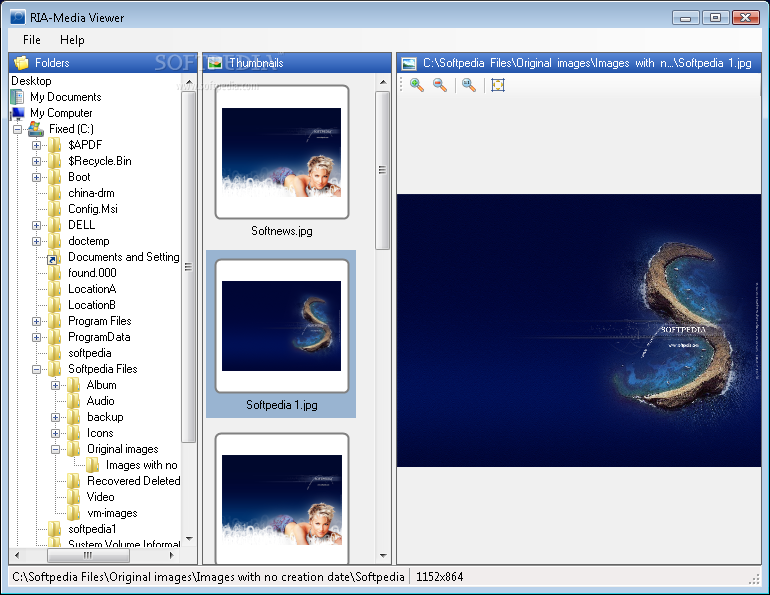
RIA-Media Viewer is a powerful universal viewer that lets you view photos, videos, fonts and other media files.No only that this is also supports bmp, gif, jpg, jpeg, png, ico, emf, wmf, psd, mp3, wav, wma, htm, html, xml, xsl, xslt, mdb, dbf and ttf formats.


But Requirements:.NET Framework 2.0
Download here

Monday, January 5, 2009

"YouTube Downloader",Download and Convert videos from Youtube

With this one application can halp you to search, download and convert videos from Youtube, Google Video, Metacafe, MySpace, DailyMotion, Pornotube, Yuvutu, and many other similar sites, saving them in AVI or MPG format. It is also a powerful video converter.
* Download videos from your favourite video sites.Vdownloader can download and convert videos from the following sites:

* Youtube (in HD if available)
* Google Video
* DailyMotion
* MySpace
* Veoh
* GoFish
* Netlog
* Blip TV
* Porkolt
* Metacafe
* Break.com
* 123 Video
* Bolt
* Vreel (Beta)
* Clevver
* Tudou
* VSocial
* Lulu TV
* Guba
* HideBehind
* Dale al Play
* Yahoo! Video
* Tu.tv Hispavista
* Vimeo


And also the following adult video sites (vXdownloader):
* PornoTube
* Yuvutu
* YouPorn
* Shufuni
* XVideoHost
* Pornkolt
* PacoPorn
* Pornhub


* VDownloader can save videos in many formats, including AVI, MPG, iPOD, PSP, 3GP, VCD, SVCD, DVD, FLV and MP3 (audio only).

* Search and find videos in many sites with just one click. Its integrated search engine can search for videos in many video sites at the same time.

* Browse videos. Its web browser allows you to visit video sites and download videos directly from the browser.

Download Here!!!
//---------- LINK WORTH------------